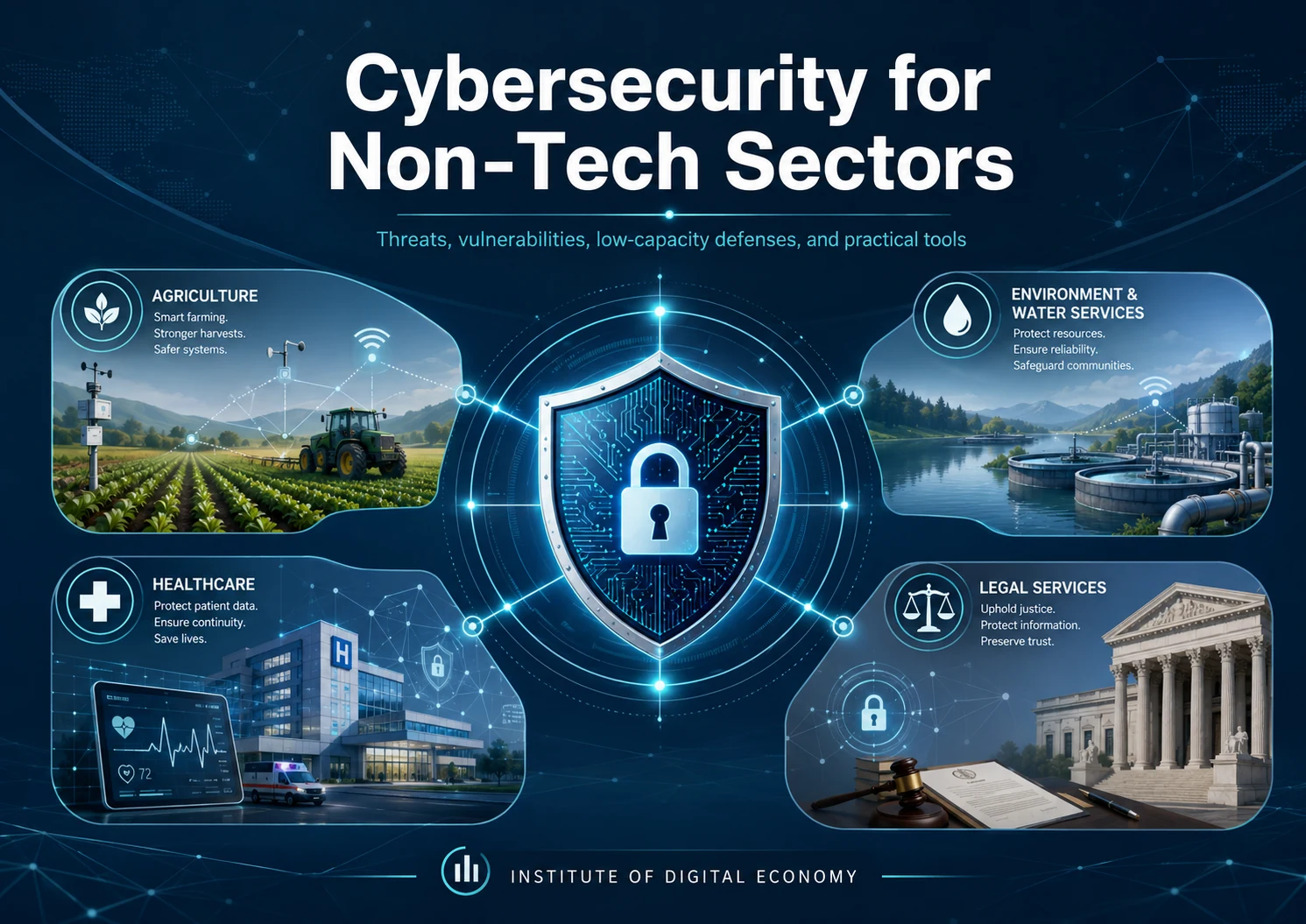
Cybersecurity for Non-Tech Sectors
Threats, vulnerabilities, low-capacity defenses, and practical tools
Hovhannes Adajyan · June 24, 2026 · 18 min read
Abstract
A practical report on the main cybersecurity threats facing agriculture, environmental and water services, healthcare, and legal organizations, with sector analytics, low-capacity defenses, free security tools, staff-training resources, examples, and implementation guidelines.
Executive Summary
Cybersecurity is no longer a concern only for technology companies. Farms, food producers, healthcare providers, environmental organizations, water utilities, law firms, research institutions, professional associations, and public-interest organizations increasingly depend on websites, cloud platforms, digital payments, online records, connected equipment, mobile applications, and external technology providers.
This dependence creates a serious imbalance. Many non-technology organizations now face technology-level risks without having a dedicated security department, sufficient software expertise, or a large cybersecurity budget. Attackers understand this gap. They frequently target organizations that hold valuable data, operate time-sensitive services, depend on trusted communications, or cannot tolerate long periods of disruption.
The most common everyday entry point remains phishing, impersonation, and social engineering. The most damaging incidents generally involve ransomware, stolen credentials, exploitation of unpatched internet-facing systems, third-party compromise, and business email fraud.
The ENISA Threat Landscape 2025 found that phishing represented approximately 60% of observed intrusion vectors, while vulnerability exploitation accounted for 21.3%. The FBI 2025 Internet Crime Report recorded 191,561 phishing or spoofing complaints and 3,611 ransomware complaints. Verizon’s 2026 Data Breach Investigations Report reported that exploitation of software vulnerabilities had become a major initial-access route and that ransomware appeared in a substantial share of breaches.
These figures should not be treated as one universal ranking. Different reports measure different things: incidents, confirmed breaches, complaints, observed intrusion vectors, or publicly reported ransomware attacks. They nevertheless point to a consistent conclusion:
> Most organizations do not need an expensive security operations center to reduce their main risks. They need disciplined identity protection, timely patching, tested backups, clear vendor controls, basic website security, trained staff, and a rehearsed incident-response process.
This report provides:
- an overview of the principal cybersecurity threats;
- sector-specific analysis for agriculture, environment and water services, healthcare, and legal services;
- practical defenses for organizations without internal cybersecurity specialists;
- free and open-source tools for websites and online services;
- staff-training and media-literacy resources;
- examples, checklists, and a 90-day implementation plan.
1. Why Non-Tech Organizations Are Attractive Targets
Non-technology organizations are often described as “unlikely targets.” This assumption is dangerous. Cybercriminals do not select victims only because of technological sophistication. They also look for operational pressure, valuable information, weak controls, trusted relationships, and an ability to pay.
1.1 Valuable and sensitive information
Healthcare providers hold medical and personal data. Law firms hold privileged communications, contracts, financial information, intellectual property, and litigation strategies. Agricultural companies may hold production records, supplier information, payment data, research results, crop information, and operational schedules. Environmental organizations and water utilities may hold infrastructure diagrams, monitoring data, customer records, laboratory results, and access credentials.
Even when data cannot be sold directly, attackers can monetize it through extortion, identity theft, payment diversion, competitive intelligence, or resale of system access.
1.2 Dependence on uninterrupted operations
A law firm facing a court deadline, a hospital treating patients, a farm managing irrigation or livestock, and a water utility operating treatment processes all depend on continuity. Ransomware becomes more powerful when an organization cannot simply stop working for several days.
1.3 Trust-based communication
Non-tech sectors rely heavily on email and messaging among directors, suppliers, clients, patients, contractors, laboratories, banks, government agencies, and service providers. Attackers imitate these trusted parties and insert themselves into normal business processes.
1.4 Long-lived systems and equipment
Medical devices, industrial controllers, environmental sensors, agricultural machinery, routers, remote-access tools, and website platforms may remain in operation for many years. Some are difficult to update or are supported by only one vendor.
1.5 Limited internal security capacity
A small organization may have one general IT administrator, an external contractor, or no technical employee at all. Security tools can then generate alerts that nobody reviews, while important responsibilities remain unclear.
2. Main Cybersecurity Threats
| Threat | Typical likelihood | Main consequence | Priority defense |
|---|---|---|---|
| Phishing and impersonation | Very high | Credential theft, fraudulent payments, malware delivery, data disclosure | MFA, staff training, reporting procedures, separate-channel verification |
| Credential theft and business email compromise | High | Mailbox takeover, invoice diversion, hijacked conversations, cloud-account compromise | Password manager, strong MFA, login alerts, forwarding-rule review |
| Ransomware and data extortion | High impact | Operational shutdown, leaked data, recovery costs, reputational damage | Offline or immutable backups, segmentation, endpoint protection, response plan |
| Exploitation of known vulnerabilities | High and increasing | Unauthorized access through VPNs, firewalls, CMS plugins, remote tools, and servers | Asset inventory, patching, CISA KEV prioritization, removal of unsupported systems |
| Web application and API attacks | Moderate to high | SQL injection, cross-site scripting, broken access control, exposed secrets, data theft | Managed hosting, WAF, secure development, dependency monitoring, safe scanning |
| Third-party and supply-chain compromise | High exposure | Vendor access becomes the route into the organization | Vendor inventory, least privilege, MFA requirements, access review, contract clauses |
| DDoS, defacement, and hacktivism | High visibility | Public websites or services become unavailable or are altered | CDN and DDoS protection, secured DNS, backups, status communications |
| Misconfiguration and human error | Persistent | Public links, exposed cloud data, incorrect permissions, accidental disclosure | Access review, data classification, logging, secure sharing, staff procedures |
| Insider misuse | Lower frequency but serious | Data theft, sabotage, unauthorized disclosure | Least privilege, logging, separation of duties, offboarding, review of unusual activity |
| Rogue Wi-Fi and man-in-the-middle attacks | Context dependent | Interception of credentials and communications | Trusted networks, VPN use, device configuration, staff awareness, wireless monitoring |
2.1 Phishing, impersonation, and social engineering
Phishing is successful because it attacks decision-making rather than software. A message may create urgency, fear, secrecy, curiosity, or a sense of authority.
Common examples include:
- a fake director asking for an urgent transfer;
- a supplier announcing a change of bank account;
- a patient or client sending a malicious attachment;
- a fake cloud-storage notification;
- a message requesting an MFA code;
- a QR code leading to a counterfeit login page;
- a voice message generated or manipulated with artificial intelligence;
- a fake government, tax, regulatory, or law-enforcement notice.
The basic defense is not simply “be careful.” Organizations need repeatable verification procedures.
Minimum rule: any request involving money, credentials, sensitive records, bank details, remote access, or unusual urgency must be verified through a second trusted channel using contact information already on file.
2.2 Credential theft and business email compromise
A stolen mailbox can be more valuable than malware. Attackers may silently study conversations, create forwarding rules, impersonate the account owner, and wait for a financial or confidential exchange.
Typical warning signs include:
- logins from unusual locations;
- unexpected MFA prompts;
- new forwarding or inbox rules;
- missing messages;
- payment instructions that suddenly change;
- a familiar sender using slightly different language;
- requests to keep a transaction confidential;
- new external applications connected to a cloud account.
2.3 Ransomware and data extortion
Modern ransomware often combines several actions:
1. initial access through phishing, stolen credentials, a vulnerable system, or a third party; 2. internal discovery and privilege escalation; 3. theft of sensitive data; 4. encryption or disruption of systems; 5. pressure through publication threats, customer notification, or operational disruption.
The FBI reported more than 3,600 ransomware complaints in 2025. It also noted that reported losses do not fully capture business interruption, wages, equipment, recovery services, and unreported incidents.
Ransomware resilience depends on whether the organization can continue essential work and restore clean systems without trusting the attacker.
2.4 Exploitation of unpatched systems
Attackers continuously scan the internet for vulnerable:
- firewalls and VPN appliances;
- remote desktop services;
- content-management systems and plugins;
- email servers;
- routers and cameras;
- file-sharing systems;
- cloud applications;
- internet-connected operational technology.
The CISA Known Exploited Vulnerabilities Catalog is especially useful because it helps organizations prioritize vulnerabilities that are already being exploited rather than treating every software alert as equally urgent.
2.5 Website and API attacks
A public website may be the organization’s most visible digital asset. Common weaknesses include:
- outdated plugins and themes;
- weak administrator passwords;
- exposed management pages;
- insecure forms;
- missing security headers;
- vulnerable third-party scripts;
- stored credentials in code;
- broken access controls;
- SQL injection;
- cross-site scripting;
- exposed APIs;
- inadequate rate limiting;
- insecure file uploads.
A Web Application Firewall can reduce exposure to known malicious patterns, bots, and certain automated attacks, but it does not replace secure development, patching, and access control.
2.6 Third-party compromise
Cloud providers, website developers, accounting services, managed IT providers, laboratories, consultants, payment processors, equipment vendors, and remote-support companies may all hold privileged access.
Important questions include:
- What can the vendor access?
- Does the vendor use MFA?
- Is access permanent or time-limited?
- Can the organization revoke access quickly?
- Must the vendor report a breach?
- Are backups included?
- Who owns the data?
- How is data returned or deleted when the contract ends?
3. Sector Analytics and Vulnerability Profiles
The figures below use different reporting methods and should not be directly compared as if they formed one ranking. Some measure confirmed breaches, some complaints, and others monitored ransomware incidents. Their value is in identifying dominant patterns and sector-specific exposure.
3.1 Agriculture and Food Systems
The Food and Agriculture Information Sharing and Analysis Center recorded 265 ransomware attacks affecting the food and agriculture sector in 2025, representing 4.2% of the cross-sector ransomware incidents it tracked.
Common attacks
- ransomware against farms, processors, distributors, and suppliers;
- fraudulent invoices and changes to supplier bank details;
- phishing targeting seasonal and administrative staff;
- compromise of remote-access software;
- insecure farm-management platforms and mobile applications;
- attacks against food-processing systems;
- theft of research, production, and supply-chain information;
- compromise of connected sensors, irrigation systems, cameras, and other IoT devices.
Structural vulnerabilities
Agriculture often combines advanced machinery with limited cybersecurity governance. A farm may use cloud dashboards, GPS services, sensors, automated feeding systems, drones, mobile devices, and remote vendor support without maintaining a complete digital asset inventory.
Seasonal operations also increase risk. Temporary workers may receive rapid access with limited training. Shared accounts, old tablets, personal messaging applications, and unmanaged Wi-Fi are common.
Practical defenses
- separate office systems from operational and production equipment;
- inventory all vendor remote-access accounts;
- disable remote access when not needed;
- protect payment and supplier communications with callback verification;
- maintain offline copies of critical production schedules, recipes, livestock records, crop plans, and supplier contacts;
- use separate Wi-Fi networks for staff, guests, sensors, and machinery;
- update routers, gateways, farm-management applications, and mobile devices;
- confirm that cloud-service providers maintain backups and MFA;
- establish manual procedures for irrigation, feeding, dispatch, or production where feasible.
Example
A food producer receives an email from a known supplier announcing a new bank account. The message appears inside an existing email conversation because the supplier’s mailbox has been compromised. The producer transfers funds to the attacker.
The most effective protection is procedural: bank-detail changes are never accepted through email alone. A known employee calls a verified telephone number already stored in the supplier record.
3.2 Environment, Water, and Utility Services
Environmental and water organizations manage systems whose disruption can affect public health, ecosystems, and essential services.
In 2026, the U.S. Environmental Protection Agency reported that it had identified cybersecurity vulnerabilities at 277 water systems and supported remediation of 350 vulnerabilities during 2025.
Common attacks
- compromise of internet-exposed controllers;
- use of default or reused passwords;
- ransomware against office and operational systems;
- DDoS and hacktivist attacks;
- unauthorized remote access;
- phishing of operators and contractors;
- theft or manipulation of monitoring data;
- compromise of environmental data portals;
- attacks through equipment and software vendors.
Structural vulnerabilities
Water and environmental infrastructure may use long-lived industrial control systems, remote sensors, specialized software, and equipment that cannot be updated without operational planning.
Small facilities may rely on one engineer or an external vendor. Direct internet exposure is especially dangerous when a control interface was designed for convenience rather than security.
Practical defenses
- remove direct internet access from operational technology whenever possible;
- change all default credentials;
- require MFA for remote access;
- allow vendor access only when needed;
- separate office, guest, laboratory, sensor, and operational networks;
- maintain a current diagram of critical systems and connections;
- log remote sessions;
- keep safe manual operating procedures;
- test communication methods that do not depend on the affected network;
- use the EPA Water Sector Cybersecurity resources and CISA guidance for assessments and incident preparation.
Example
A small treatment facility leaves a remote-control interface exposed to the internet so a contractor can provide support. The interface still uses a default password. An attacker changes settings or interrupts the process.
The preferred solution is not simply a stronger password. The interface should not be directly exposed. Remote access should pass through a controlled gateway or VPN, use MFA, be limited to approved users and times, and be logged.
3.3 Healthcare
Healthcare combines highly sensitive information, complex technology, third-party dependence, and a strong need for continuity.
Verizon’s 2026 DBIR Healthcare Snapshot reported the following breach-pattern distribution:
| Healthcare breach pattern | Share |
|---|---|
| System Intrusion | 61% |
| Social Engineering | 17% |
| Basic Web Application Attacks | 10% |
| Miscellaneous Errors | 8% |
| Privilege Misuse | 3% |
The report also identified exploitation of vulnerabilities, phishing, and credential abuse as important initial-access routes. It emphasized that ransomware-driven system intrusion and persistent human error remain central healthcare risks.
Common attacks
- ransomware affecting records, scheduling, laboratories, imaging, or clinical systems;
- phishing and credential theft;
- exploitation of vulnerable gateways and remote-access tools;
- third-party compromise involving billing, laboratories, or service providers;
- patient-portal attacks;
- accidental disclosure or misdelivery;
- exposed cloud storage;
- theft of unencrypted laptops and portable devices;
- misuse of shared accounts;
- compromise of medical and IoT devices.
Structural vulnerabilities
Healthcare employees must work quickly. Shared workstations, emergency processes, staff turnover, multiple professional roles, and connected devices complicate strict access control.
Healthcare providers may also depend on external billing providers, laboratories, pharmacies, insurers, cloud platforms, and equipment vendors.
Practical defenses
- require MFA for email, remote access, cloud administration, billing, and sensitive clinical administration;
- eliminate shared administrator accounts;
- apply critical patches to internet-facing systems first;
- isolate medical and IoT devices from ordinary office networks;
- encrypt laptops and portable storage;
- limit the export of patient data;
- review access rights when employees change roles;
- test clinical downtime procedures;
- maintain offline access to essential contacts and workflows;
- include security responsibilities and incident notification in supplier contracts;
- provide secure methods for patients and partners to exchange documents.
Example
A clinic employee receives a realistic cloud-document notification. The link opens a counterfeit login page and captures the employee’s password. The attacker accesses email, identifies billing conversations, and sends altered payment instructions.
MFA may stop the password from being sufficient. Login alerts, user reporting, forwarding-rule monitoring, and financial verification provide additional layers.
3.4 Legal and Professional Services
Law firms and legal organizations hold confidential information, manage deadlines, exchange large volumes of documents, and often handle financial transactions.
The FBI 2025 Internet Crime Report stated that legal services represented 18% of more than 1,400 ransomware complaints from businesses and organizations outside designated critical sectors. This was the largest listed share in that group.
Common attacks
- business email compromise;
- fraudulent settlement or bank instructions;
- ransomware;
- credential theft;
- compromise of client portals;
- malicious attachments;
- theft of privileged documents;
- cloud-sharing errors;
- impersonation of clients, counterparties, courts, banks, or senior lawyers;
- attacks through legal software and external service providers.
Structural vulnerabilities
Legal work depends on trust and confidentiality. Time pressure, client expectations, court deadlines, remote work, and large document exchanges create opportunities for social engineering.
Small practices may also use consumer-grade email, file-sharing, and backup services without formal access governance.
Practical defenses
- verify all bank-detail changes through a trusted second channel;
- use MFA for email, document systems, remote access, and finance;
- provide encrypted or access-controlled client sharing;
- classify sensitive matters and restrict access;
- review external sharing links;
- establish document-retention and secure-deletion rules;
- maintain tested backups;
- remove former employees and contractors immediately;
- keep an external legal, technical, insurance, and communications incident-contact list;
- train staff to recognize fake court, regulator, client, and partner communications.
Example
An attacker gains access to a client’s mailbox, studies an ongoing transaction, and sends revised payment instructions at the expected time. The law firm sees a familiar conversation and follows the request.
The protection is a mandatory verification procedure for all new or changed payment instructions, regardless of how authentic the email appears.
4. The Most Common Vulnerability Gaps
4.1 No complete asset inventory
Organizations cannot protect systems they do not know exist. Common forgotten assets include:
- old website subdomains;
- unused cloud accounts;
- former employee accounts;
- remote-support tools;
- internet-facing cameras;
- old routers;
- abandoned plugins;
- test databases;
- external file-sharing links;
- vendor accounts.
Guideline: maintain a simple register containing the asset, owner, purpose, location, data involved, criticality, vendor, update responsibility, backup method, and recovery priority.
4.2 Weak identity and access management
Typical weaknesses include:
- reused passwords;
- shared accounts;
- default credentials;
- inactive accounts;
- excessive administrator privileges;
- MFA applied only to some systems;
- former staff retaining access;
- vendor access that never expires.
Guideline: protect the identity layer before purchasing advanced security tools.
4.3 Slow patching and unsupported systems
Patching often fails because nobody is clearly responsible, compatibility has not been tested, or equipment is no longer supported.
Guideline: prioritize:
1. vulnerabilities known to be actively exploited; 2. internet-facing systems; 3. remote-access tools; 4. email and identity systems; 5. servers holding sensitive data; 6. critical operational systems; 7. ordinary internal devices.
4.4 Flat networks
When office laptops, guest devices, cameras, sensors, medical equipment, industrial controllers, and servers share one network, a single infection can spread widely.
Guideline: at minimum, separate:
- staff devices;
- guest Wi-Fi;
- IoT and sensors;
- medical or industrial equipment;
- servers and backups;
- public-facing services.
4.5 Backups that cannot support recovery
Backups may fail because they are always connected, share the same administrator account, are incomplete, or have never been restored.
Guideline: follow a 3-2-1 approach where practical:
- keep at least three copies of important data;
- use two different storage types or environments;
- keep at least one copy offline, isolated, or immutable.
A backup is not proven until a restoration test succeeds.
4.6 Unmanaged suppliers
A small organization may outsource technology but not actively manage the risks.
Guideline: maintain a vendor-access list and review it at least quarterly.
4.7 Insecure public websites
Websites are frequently built by contractors and then left without a maintenance owner.
Guideline: every public website should have a named business owner and a named technical maintainer.
4.8 No detection or incident plan
Organizations often discover incidents through customers, banks, journalists, or attackers.
Guideline: maintain a one-page incident plan and an offline contact list. Test the plan at least twice a year.
5. Minimum Viable Cybersecurity for Organizations Without Specialists
A practical security program can be built in ten steps.
Step 1: Assign accountability
A senior manager should own cybersecurity risk. An external provider may operate systems, but management must decide priorities, approve access, and accept risks.
Step 2: Identify critical services and data
Ask:
- Which five digital systems would stop our core work if unavailable tomorrow?
- Which data would create the greatest harm if disclosed?
- Which suppliers have privileged access?
- What must be restored first?
- What manual alternatives exist?
Step 3: Protect identities
- require MFA for email, cloud administration, remote access, finance, and sensitive systems;
- use a reputable password manager;
- prohibit password reuse;
- remove shared administrator accounts;
- review privileged users monthly;
- disable inactive accounts;
- complete offboarding on the employee’s last day;
- review unexpected MFA prompts and login alerts.
Phishing-resistant MFA, such as security keys or passkeys, is preferable for high-value administrator and finance accounts where available.
Step 4: Patch based on exposure
- enable automatic updates where operationally safe;
- maintain a regular patch window;
- track unsupported software;
- use the CISA KEV Catalog;
- remove unnecessary plugins and services;
- test updates for specialized medical or operational equipment;
- document any system that cannot be patched and apply compensating controls.
Step 5: Build recoverability
- identify essential data and systems;
- back them up according to business requirements;
- use separate credentials for backup administration;
- protect backups with MFA;
- maintain an offline or immutable copy;
- document the restoration order;
- test a representative restore every quarter;
- record how long recovery actually takes.
Step 6: Segment networks and restrict remote access
- isolate critical devices;
- separate guest and staff Wi-Fi;
- restrict remote administration;
- log vendor sessions;
- disable unused ports and services;
- limit access by role;
- prevent ordinary user accounts from installing software where practical.
Step 7: Harden email, domains, and websites
- protect registrar, DNS, hosting, CMS, and repository accounts with MFA;
- maintain at least two controlled administrators;
- configure SPF, DKIM, and DMARC for organizational email;
- use HTTPS;
- use managed hosting and a CDN;
- enable managed WAF rules;
- update plugins and dependencies;
- remove unused components;
- keep secrets out of code repositories;
- monitor domain registration and certificate expiry;
- maintain website and database backups.
Step 8: Use built-in protection before complex platforms
Most modern operating systems and cloud services include security features that are often disabled or poorly configured.
Enable:
- supported endpoint protection;
- disk encryption;
- automatic screen locking;
- device update enforcement;
- cloud audit logs;
- login alerts;
- suspicious forwarding-rule alerts;
- secure file-sharing controls;
- mobile-device security settings.
A complex SIEM or monitoring platform should not be deployed unless someone is assigned to configure it, review alerts, and respond.
Step 9: Control suppliers
Minimum supplier questions should cover:
- MFA;
- patching;
- encryption;
- backup and recovery;
- data location;
- subcontractors;
- access rights;
- logging;
- breach notification;
- secure deletion;
- service termination;
- incident cooperation.
Step 10: Prepare a one-page incident plan
The plan should identify:
- who declares an incident;
- who can disconnect systems;
- who contacts the technical provider;
- who contacts the insurer;
- who obtains legal advice;
- who communicates with staff, clients, patients, partners, or the public;
- how clean communication will continue;
- how evidence will be preserved;
- which services recover first.
6. Free and Open-Source Security Tools
Free software can be highly effective, but “free” does not mean “without operational cost.” Organizations should prefer tools they can maintain and act upon.
| Tool or resource | Model | Best use | Skill level | Guidance |
|---|---|---|---|---|
| Cloudflare Free Plan | Free service | DNS, CDN, basic DDoS protection, selected web protections | Low | A useful first layer for small public websites. Protect the account with MFA. |
| Let’s Encrypt and Certbot | Free and open source | Automated TLS certificates and HTTPS renewal | Low to medium | Prefer hosting-provider automation where available. |
| Mozilla HTTP Observatory | Free online scanner | Checks web security headers and configuration | Low | Appropriate for routine external checks and re-testing after changes. |
| OWASP ZAP | Open source | Web application proxy, passive analysis, baseline and active scanning | Medium to high | Use only on owned or authorized systems. Active scanning is best performed in staging. |
| Greenbone OpenVAS | Open source | Network and vulnerability scanning | High | Powerful but operationally demanding. Use with trained administration or external support. |
| GitHub Dependabot | Included GitHub feature | Vulnerable dependency alerts and update proposals | Low to medium | Enable for maintained repositories and assign an owner to review alerts. |
| GitHub CodeQL | Free for public repositories; other use may require licensing | Static code analysis | Medium | Useful for custom applications; findings require developer review. |
| Wazuh | Open source | Endpoint telemetry, file-integrity monitoring, detection, and SIEM/XDR functions | High | Not an “install and forget” tool. Use with skills, processes, and alert ownership. |
| CISA KEV Catalog | Free authoritative resource | Prioritizing vulnerabilities actively exploited in the wild | Low | Use to decide what to patch first. |
| Have I Been Pwned | Free public service with paid organizational options | Checking known breach exposure for email addresses | Low | Use as an awareness and investigation aid, not as proof that an account is currently compromised. |
| SecurityHeaders.com | Free online scanner | Quick assessment of common HTTP response headers | Low | Useful as a supplementary website-configuration check. |
| OWASP Cheat Sheet Series | Free open guidance | Secure development and configuration guidance | Medium | Useful for developers and website maintainers. |
6.1 Recommended baseline for a small public website
A small organization should aim for the following:
- managed hosting with supported software;
- automatic HTTPS renewal;
- MFA on registrar, DNS, hosting, CMS, and repository accounts;
- at least two controlled administrators;
- CDN and DDoS protection;
- a managed WAF ruleset;
- minimal plugins, themes, and third-party scripts;
- automatic security updates where safe;
- dependency alerts;
- secrets stored outside source code;
- separate development, staging, and production credentials;
- daily data backup;
- code and configuration backup;
- monthly external configuration checks;
- quarterly safe baseline scanning;
- annual independent review for services handling sensitive data.
6.2 Tools that require caution
Tools such as Metasploit, SQLMap, password-cracking frameworks, and wireless attack platforms are legitimate professional security tools, but they can disrupt systems or be used unlawfully.
They should not be treated as routine self-service tools for non-specialists.
> Security testing must be performed only on systems the organization owns or has explicit written authorization to assess.
7. Staff Training and Media Literacy
Technology controls cannot prevent every deceptive message. Staff should learn a simple response model:
STOP – VERIFY – REPORT
STOP
Pause when a message creates:
- unusual urgency;
- secrecy;
- fear;
- pressure from authority;
- an unexpected password or MFA request;
- a bank-account change;
- an unusual attachment;
- a QR code;
- a request to bypass normal procedure.
VERIFY
- use a trusted second channel;
- call a known number already on file;
- inspect the full sender domain;
- check whether the request fits the existing business context;
- verify dates and source documents;
- compare the information with independent reliable sources;
- do not rely on the padlock icon alone, because malicious websites can also use HTTPS.
REPORT
- report suspicious messages immediately;
- do not hide an accidental click;
- preserve the message;
- notify finance if payment details were involved;
- notify the IT or security contact;
- reset credentials and revoke sessions when necessary;
- warn other likely recipients.
Early reporting can allow the organization to reset an account, stop a payment, revoke a malicious session, and warn colleagues.
7.1 Free training and exercise resources
| Resource | What it provides |
|---|---|
| NCSC Staying Safe Online: Top Tips for Staff | Short, accessible training on phishing, passwords, devices, and reporting |
| NCSC Exercise in a Box | Free exercises covering ransomware, phishing, supply chains, passwords, and vulnerabilities |
| Cisco Networking Academy – Introduction to Cybersecurity | Free beginner-level self-paced cybersecurity training |
| UNESCO Media and Information Literacy | Curricula and resources for evaluating information, misinformation, disinformation, and digital content |
| NIST CSF 2.0 Small Business Quick Start Guide | A practical starting point for organizations with modest or no cybersecurity plan |
| CISA Small and Medium Business Resources | Practical guidance, tools, and services for smaller organizations |
| Global Cyber Alliance Small Business Toolkit | Step-by-step measures for reducing common cyber risks |
| Food and Ag-ISAC Resources | Sector reports and practical agriculture and food security guidance |
| EPA Water Sector Cybersecurity | Water-sector assessments, templates, response guidance, and support |
| HHS 405(d) Health Industry Cybersecurity Practices | Healthcare-specific cybersecurity practices and learning resources |
| OWASP Web Security Testing Guide | Structured guidance for authorized web-security testing |
| CISA Cybersecurity Performance Goals | Prioritized baseline controls for reducing common and serious cyber risks |
7.2 Suggested staff curriculum
A practical annual program can be divided into short modules:
1. recognizing phishing, impersonation, QR-code, voice, and MFA attacks; 2. secure password-manager and MFA use; 3. payment and bank-detail verification; 4. safe document sharing; 5. handling personal, health, client, environmental, or operational data; 6. use of personal devices and public Wi-Fi; 7. media literacy and verification of digital content; 8. reporting mistakes and suspicious activity; 9. sector-specific scenarios; 10. incident and downtime procedures.
Training should be reinforced with short exercises throughout the year rather than one long annual presentation.
8. Sector-Specific Staff Scenarios
Agriculture scenario
A seasonal employee receives a mobile message claiming that a farm-management password must be reset before the next shift. The link opens a convincing login page.
Expected action: do not use the link; contact the supervisor or known service provider; report the message.
Environmental or water scenario
A contractor asks an operator to enable remote access immediately to resolve an urgent equipment issue.
Expected action: verify the contractor through known contact details; confirm authorization; enable time-limited access; record the session; disable access afterward.
Healthcare scenario
A patient document arrives through an unexpected file-sharing service and asks the employee to sign in.
Expected action: verify the patient or sender; use the organization’s approved document channel; report the link.
Legal scenario
A client sends new settlement-payment instructions within an existing email thread.
Expected action: call the verified client contact using the existing record; obtain required approval; document verification.
9. A 90-Day Implementation Plan
| Period | Management and inventory | Technical priorities | People and readiness |
|---|---|---|---|
| Days 1–30 | Name the security owner; list critical services, data, vendors, and privileged accounts; identify notification duties | Enable MFA for email, administrators, finance, and remote access; remove inactive accounts; patch critical internet-facing systems; confirm backups exist | Deliver introductory training; publish the reporting contact; introduce payment and bank-detail verification |
| Days 31–60 | Rank risks; document vendor access; define recovery order and minimum manual operations | Test one restore; segment guest, IoT, and critical systems; secure domain and DNS; enable HTTPS, CDN/WAF, and dependency alerts | Run a short phishing exercise; brief finance, reception, legal, clinical, agricultural, or operational teams on relevant scenarios |
| Days 61–90 | Approve the incident plan; define quarterly metrics; contract external support where necessary | Complete an authorized baseline scan; fix high-risk findings; enable logs and alerts; restrict remote access | Run a ransomware tabletop exercise; update contacts and lessons; add training to employee induction |
Suggested quarterly measures
Management does not need dozens of technical metrics. A small dashboard can track:
- percentage of critical accounts protected by MFA;
- number of unsupported systems;
- percentage of critical patches completed on time;
- number of inactive or unnecessary accounts removed;
- date and outcome of the latest backup restoration test;
- number of critical vendors reviewed;
- completion rate for staff training;
- number and speed of reported suspicious messages;
- date and outcome of the latest incident exercise;
- number of unresolved high-risk website or infrastructure findings.
10. First 60 Minutes of a Suspected Incident
1. Contain
- disconnect an affected device from the network where safe;
- isolate the compromised account;
- disable malicious forwarding rules or applications;
- restrict affected remote access;
- do not erase or reformat the system before evidence is considered.
2. Activate the response contacts
Use a clean communication channel to contact:
- the internal incident owner;
- IT or the managed service provider;
- the relevant operational lead;
- legal counsel;
- the cyber insurer or response provider;
- finance, if money may be at risk.
3. Protect identities and payments
- reset compromised credentials;
- revoke active sessions and tokens;
- review MFA methods;
- freeze or recall suspicious transfers;
- notify banks quickly;
- warn likely targets of impersonation.
4. Preserve evidence
Record:
- dates and times;
- messages and headers;
- screenshots;
- affected accounts and devices;
- observed files or ransom notes;
- unusual logins;
- actions taken;
- people contacted.
5. Assess notifications
Obtain jurisdiction-specific legal advice regarding:
- regulators;
- affected individuals;
- clients, patients, partners, or suppliers;
- law enforcement;
- insurers;
- public communication.
6. Recover safely
- identify and close the initial entry point;
- verify that backups are clean;
- restore according to business priority;
- monitor for remaining attacker access;
- document lessons and update controls.
11. When External Support Is the Better Option
Organizations should consider external support when they cannot reliably maintain a control themselves.
Good candidates for outsourcing include:
- managed endpoint protection;
- backup administration;
- email and cloud security configuration;
- website maintenance;
- vulnerability scanning;
- managed log monitoring;
- annual penetration testing;
- incident-response retainers;
- tabletop exercise facilitation.
However, the following responsibilities must remain with management:
- deciding which services and data are critical;
- approving privileges;
- accepting risk;
- verifying financial procedures;
- selecting vendors;
- deciding regulatory and public notifications;
- ensuring recovery tests occur;
- confirming that the provider’s work meets business needs.
Questions to ask a cybersecurity provider
- Which exact services are included?
- Who monitors alerts and during what hours?
- What is the response time?
- What happens during a ransomware incident?
- Are backups included and tested?
- Who owns the logs and data?
- Can we export our information?
- Which subcontractors are used?
- Is MFA required for provider staff?
- How is privileged access approved and recorded?
- How quickly must the provider notify us of an incident?
- What is excluded from the contract?
Conclusion
Cybersecurity for non-tech organizations should not begin with the most advanced software. It should begin with understanding business dependence and reducing the most realistic risks.
Across agriculture, environmental and water services, healthcare, and legal services, the same foundational lessons repeatedly appear:
- phishing and impersonation exploit trusted communication;
- stolen credentials provide quiet and persistent access;
- unpatched internet-facing systems enable scalable attacks;
- ransomware becomes powerful when recovery is uncertain;
- third parties can become hidden extensions of the organization’s network;
- operational separation limits the spread of incidents;
- trained staff can stop attacks early;
- tested backups and incident plans determine whether disruption becomes a crisis.
A small organization may not be able to eliminate cyber risk, but it can become significantly harder to compromise and much faster to recover.
The most effective initial priorities are:
1. assign accountability; 2. identify critical assets and vendors; 3. require MFA and strong password management; 4. patch exposed systems; 5. test offline or immutable backups; 6. segment critical networks; 7. secure websites, domains, and email; 8. train staff to stop, verify, and report; 9. control third-party access; 10. rehearse the incident plan.
Sources and Further Reading
- Verizon — 2026 Data Breach Investigations Report
- Verizon — 2026 DBIR Healthcare Snapshot
- ENISA — Threat Landscape 2025
- FBI Internet Crime Complaint Center — 2025 Annual Report
- Food and Ag-ISAC — 2025 Food and Agriculture Ransomware Landscape
- U.S. EPA — Actions to Safeguard Water Systems from Cyberattacks
- U.S. EPA — Cybersecurity in the Water Sector
- NIST — Cybersecurity Framework 2.0 Small Business Quick Start Guide
- CISA — Known Exploited Vulnerabilities Catalog
- CISA — Cybersecurity Performance Goals
- CIS — Critical Security Controls Implementation Group 1
- OWASP — Web Security Testing Guide
- OWASP — Zed Attack Proxy
- Mozilla — HTTP Observatory
- NCSC — Cybersecurity Training for Staff
- NCSC — Exercise in a Box
- UNESCO — Media and Information Literacy
- Global Cyber Alliance — Small Business Toolkit
- HHS 405(d) — Health Industry Cybersecurity Practices
- GitHub — Dependabot Alerts
- GitHub — CodeQL Code Scanning
- Greenbone OpenVAS
- Wazuh
- Let’s Encrypt
- Cloudflare Free Plan
Cite this publication
Hovhannes Adajyan. “Cybersecurity for Non-Tech Sectors.” Institute of Digital Economy, 2026.
Related publications
AI Tools and Large Language Models in 2026: How to Choose the Best, Safest and Most Appropriate Systems
A scientific and practical guide to choosing general-purpose and specialized AI systems, with detailed attention to Agriculture, Environment, Healthcare and Law, as well as research, coding, media, translation, automation and private deployment.
Hovhannes Adajyan · June 26, 2026 · 35 min read
Healthcare Technologies: Innovation and Latest Trends
This report explores the latest trends in healthcare technologies, including artificial intelligence, telemedicine, wearable devices, robotics, personalized medicine, cybersecurity, blockchain, synthetic data, and Armenia's digital health opportunities.
Hovhannes Adajyan · June 12, 2026 · 9 min read